
Graphics card (GPU)
A share of a real graphics card with its own video memory — for CAD, 3D, video editing and encoding, AI and games. Pick one or several.
- B512M0.50 / hour
- B1G2.00 / hour
- B2G2.00 / hour
- B6G10.00 / hour
- B8G14.00 / hour

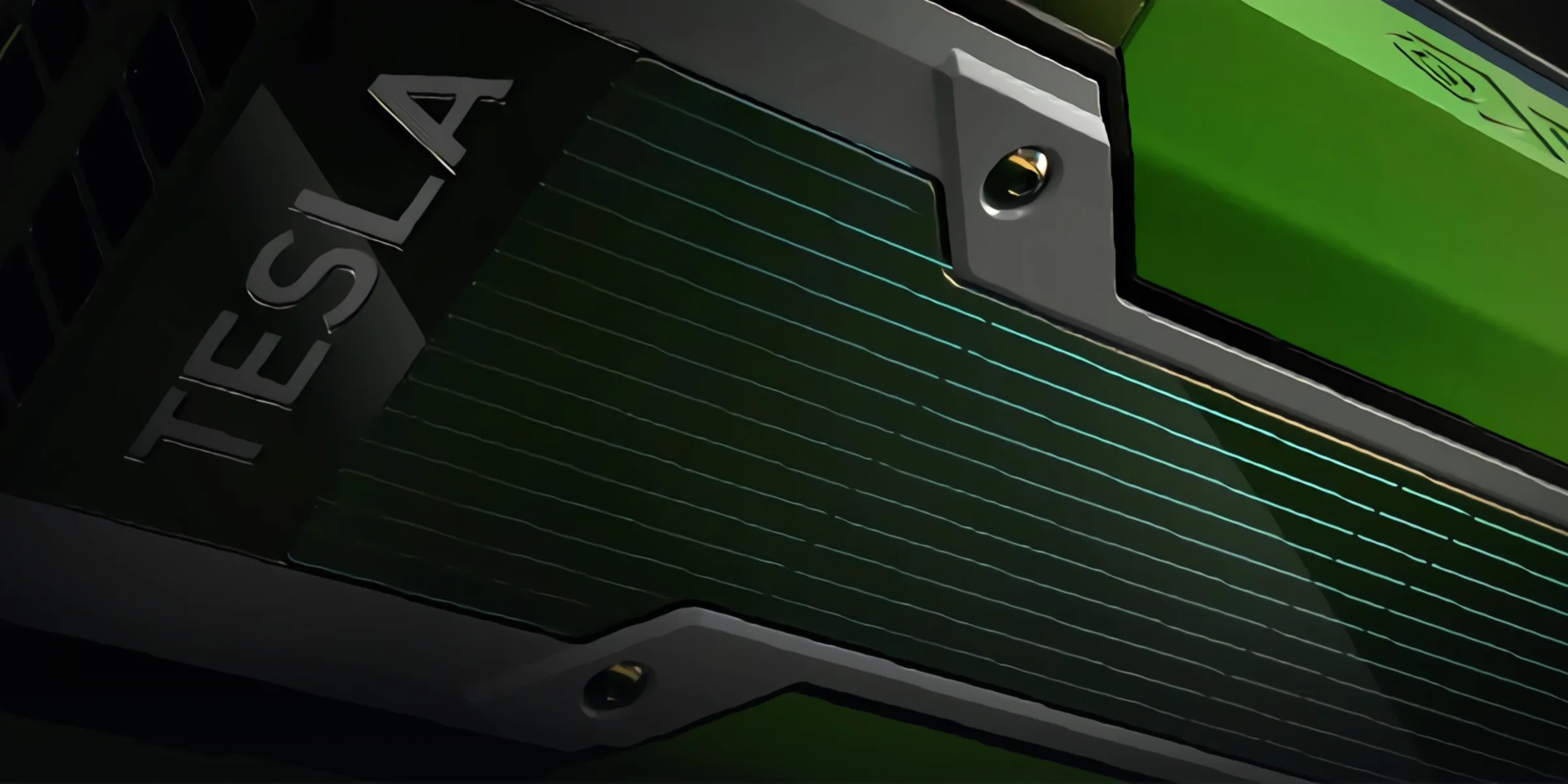
A Windows or Linux machine in the cloud that you open from any browser, streamed in up to 4K at 120 FPS. Use it for CAD, video editing, gaming or anything that needs a GPU — or run servers and network labs on it. Pick up where you left off on any computer, tablet or phone. You pay by the minute, only while it exists.

One machine, many jobs. Pick the size it needs, change it later, and pay only while it exists.
The same desktop with all your programs and files on your PC, laptop, tablet or phone — streamed in up to 4K at 120 FPS, with sound and low latency.
A real graphics card for CAD, 3D modelling and rendering, video editing and hardware video encoding — and AI, machine learning and anything else that runs on a GPU.
Your own gaming PC in the cloud: install any games, launchers and mods, and play them in the browser with a keyboard, mouse or controller.
Each machine gets its own public ports, so a website, Minecraft server, database, API or anything else that listens on a port is online in minutes.
All your machines share their own VLAN and talk to each other directly — build a Kubernetes or Docker Swarm cluster, a database with app servers, or a whole company network.
Your machines share a private VLAN that is yours alone. Build networks with virtual routers and firewalls, and learn networking without any hardware.
Plain Windows or Linux VMs, from a ready image or your own ISO. Resize them, take snapshots, open the console in the browser.
Your machine runs on our servers. All you need is a browser: the screen comes to you, your programs and files stay on the machine.
PC, laptop, tablet or phone. A browser is enough; the Moonlight app is optional.
The portal: build, start, resize and pay for machines, and open their desktop.
Windows or Linux with its own cores, memory, disk and a share of a graphics card.
Every customer gets a private VLAN. Your machines talk to each other on it and reach the internet through it — and each one gets its own public ports.
Visitors, players, your apps — and you.
Your machines reach each other directly, on any port
Only your machines are on it. Each one has its own block of public ports, and you choose which ports inside the machine they lead to.
Their VLANs are separate: no traffic between yours and theirs.
example: cloud-stream.eu:12550 → Web server :80 · cloud-stream.eu:12560 → Minecraft :25565
What you see after signing in.
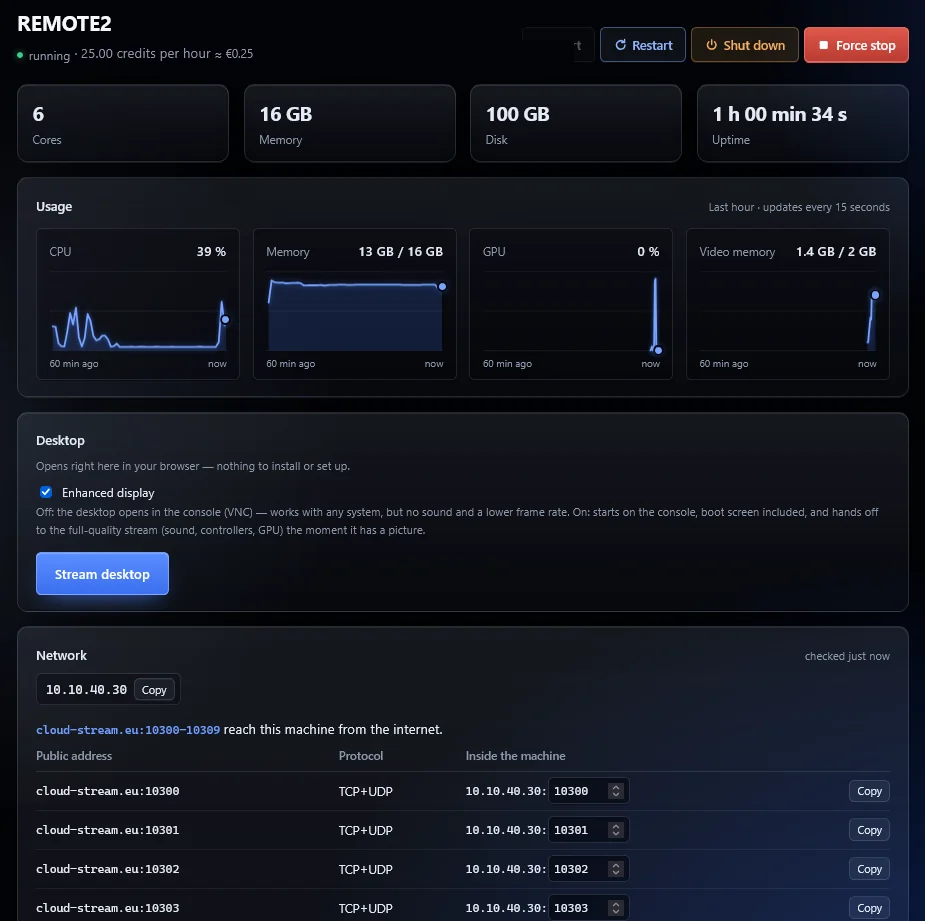
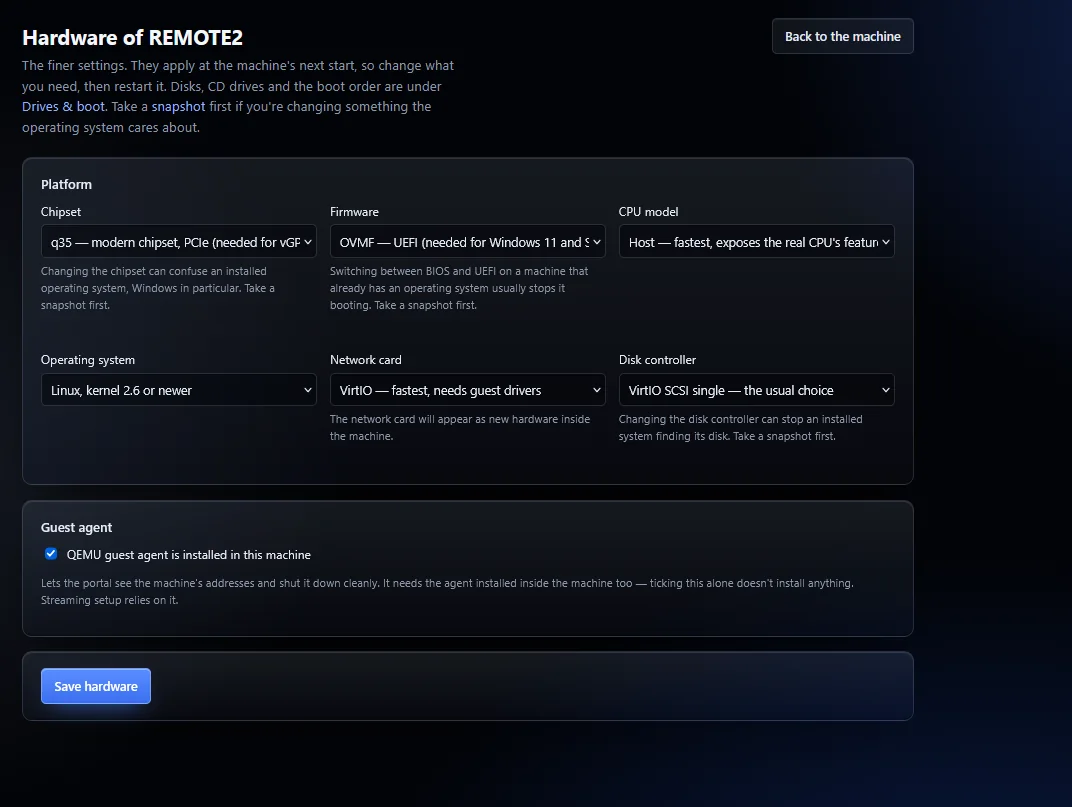
Every machine is carved out of the same servers. You pick how much of each part it gets, and you can change it later.
A share of a real graphics card with its own video memory — for CAD, 3D, video editing and encoding, AI and games. Pick one or several.

1.00 credits per core, per hour.

0.50 credits per GB, per hour.

0.02 credits per GB, per hour — kept while the machine is off.
100 credits = 1 EUR. A stopped machine only pays for its storage. Top up by card or PayPal.
Top up a few credits. Nothing is charged until a machine exists.
POP OS VDI, win10base, win11base, or install your own from an ISO.
Cores, memory, disk and graphics. The price per hour updates as you go.
Watch it build, then open it in the browser or stream it with Moonlight.
Machines with a graphics card stream in up to 4K at 120 FPS with low latency — sound, keyboard, mouse and game controllers included. Open it in the browser on any computer, tablet or phone, or use the free Moonlight app. Everything stays where you left it.
For everything else there's a graphical and a text console one click away, for when you need to see the machine boot.
CloudStream rents out virtual machines — cloud desktops and servers — running on our own servers. Each one can have a share of a real graphics card. You use it from your browser as your own computer, or run services on it that are reachable from the internet.
Machines with a graphics card stream at up to 4K and 120 frames per second. What you get depends on your connection and screen: 1080p at 60 FPS works on most home connections, 4K at 120 FPS wants a fast, stable one (around 100 Mbit/s or more, ideally over a cable).
Anything a desktop graphics card does: CAD and 3D (AutoCAD, SolidWorks, Fusion, Blender), video editing and hardware encoding (DaVinci Resolve, Premiere, OBS, HandBrake), AI and machine learning, and games.
Yes. Unlike most cloud gaming services it is your own Windows or Linux PC: install any games, launchers and mods you like, and play in the browser or with Moonlight, with a keyboard, mouse or controller.
Yes. Every machine gets its own public ports, forwarded straight to it, so a web server, Minecraft or other game server, database, API or anything else that listens on a port is reachable from the internet. You choose which ports inside the machine they lead to.
Yes. Every customer gets their own VLAN, and all their machines are on it with private addresses, so they reach each other directly on any port. Build a Kubernetes cluster (k3s, kubeadm, MicroK8s) from a control-plane machine and a few workers, a Docker Swarm, or app servers with a database behind them. The VLAN is yours alone: no other customer can reach it.
Yes. All your machines share a private network — their own VLAN — that no other customer can see. Run virtual routers and firewalls (for example pfSense, OPNsense, VyOS or MikroTik CHR from an ISO), connect several machines behind them and practise networking without real hardware.
You pay with credits, billed by the minute while the machine exists: 100 credits = 1 EUR. A machine with 4 cores, 8 GB of memory and a 64 GB disk with B512M costs 9.78 credits an hour (≈ 0.10 EUR).
POP OS VDI, win10base, win11base, or install your own from an ISO image.
No. The machine opens in your browser. For the lowest latency you can also connect with the free Moonlight app.
They stay on its disk. A stopped machine keeps its storage and costs much less than a running one.
It takes an account, a few credits and a couple of minutes.